Kindle Paperwhite

Kindle Paperwhite remains the best choice for most readers thanks to its excellent price-performance ratio. It features a crisp 7-inch display with a 300 ppi resolution and adjustable warm backlighting, on which text appears sharp and perfectly rendered, almost like ink on paper. The fast processor ensures smooth page turns and more fluid navigation, even when reading large PDFs and illustrated novels. The battery life lasts up to 12 weeks. Its thin case with IPX8 water resistance and light weight make it convenient for travel and commuting. Kindle Paperwhite is available in both Wi-Fi and cellular versions.
Best Kindle Paperwhite alternatives


Here are the latest news about Kindle Paperwhite:
17.09.25. Kindle's firmware updates bring TTS to all users
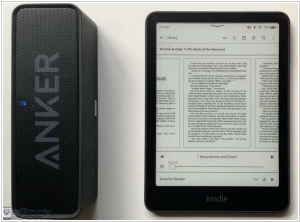
Amazon has released firmware 5.18.5 for the 11th and 12th generation Kindle, as well as Kindle Scribe and Kindle Colorsoft. It adds Kindle Assistive Reader (now available worldwide) - TTS system that uses natural voice to read books aloud. Kindle doesn't have speakers, but it does have Bluetooth. You can easily connect wireless headphones or earbuds for listening. You can also now change the font size in Kindle user interface (under the "Screen & Brightness" menu in Settings) and there's a new line spacing option: you can now adjust the spacing between paragraphs, words and characters (in addition to lines) under the "Font" tab in the Reading Settings menu ("Aa").
2023. Kindle Paperwhite gets new Kindle Scribe features

Amazon has released a new firmware update 5.16.2.1 for Kindle 7th generation, Kindle Paperwhite 11th generation and Signature edition. The update includes various Kindle Scribe features, such as drawing, notebooks and stickers. However, these features are disabled. Why did Amazon include almost all of Scribe's unique features in Kindle Paperwhite? This was done so that Amazon wouldn't have to maintain separate codebases for the Paperwhite and Kindle Scribe. Now, by releasing an update for one model, they can update them all at once. Since its release, the Scribe has received 3-4 updates designed to stabilize existing features, fix bugs and introduce improvements. During this time, no other Kindle has received an update.
2023. Amazon releases new colors and covers for the Kindle Paperwhite

Amazon has just introduced two new colors for the Kindle Paperwhite: Denim and Agave Green. These new shades will be available for both the 16GB Kindle Paperwhite and the 32GB Kindle Paperwhite Signature Edition. Alongside the new color options, Amazon is also launching an Agave Green leather and fabric cover to complement the Agave Green device. You might remember that Amazon unveiled a 16GB Kindle Paperwhite — in addition to the existing 8GB version — last fall, providing customers with the option of more storage so they can carry even more books while on the go. Building on this, the Kindle team aimed to add some vibrant colors to a customer favorite.
17.09.25. Kindle's firmware updates bring TTS to all users
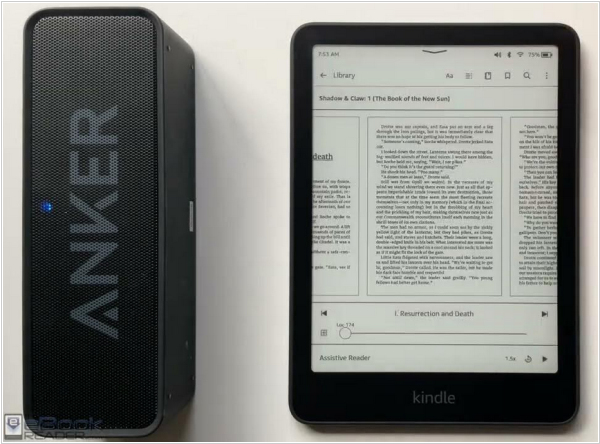
Amazon has released firmware 5.18.5 for the 11th and 12th generation Kindle, as well as Kindle Scribe and Kindle Colorsoft. It adds Kindle Assistive Reader (now available worldwide) - TTS system that uses natural voice to read books aloud. Kindle doesn't have speakers, but it does have Bluetooth. You can easily connect wireless headphones or earbuds for listening. You can also now change the font size in Kindle user interface (under the "Screen & Brightness" menu in Settings) and there's a new line spacing option: you can now adjust the spacing between paragraphs, words and characters (in addition to lines) under the "Font" tab in the Reading Settings menu ("Aa").
2023. Kindle Paperwhite gets new Kindle Scribe features

Amazon has released a new firmware update 5.16.2.1 for Kindle 7th generation, Kindle Paperwhite 11th generation and Signature edition. The update includes various Kindle Scribe features, such as drawing, notebooks and stickers. However, these features are disabled. Why did Amazon include almost all of Scribe's unique features in Kindle Paperwhite? This was done so that Amazon wouldn't have to maintain separate codebases for the Paperwhite and Kindle Scribe. Now, by releasing an update for one model, they can update them all at once. Since its release, the Scribe has received 3-4 updates designed to stabilize existing features, fix bugs and introduce improvements. During this time, no other Kindle has received an update.
2023. Amazon releases new colors and covers for the Kindle Paperwhite

Amazon has just introduced two new colors for the Kindle Paperwhite: Denim and Agave Green. These new shades will be available for both the 16GB Kindle Paperwhite and the 32GB Kindle Paperwhite Signature Edition. Alongside the new color options, Amazon is also launching an Agave Green leather and fabric cover to complement the Agave Green device. You might remember that Amazon unveiled a 16GB Kindle Paperwhite — in addition to the existing 8GB version — last fall, providing customers with the option of more storage so they can carry even more books while on the go. Building on this, the Kindle team aimed to add some vibrant colors to a customer favorite.
Add comment
Reviews
The reading experience on the Paperwhite is excellent. The Paperwhite is much more enjoyable to use than the Kindle Touch or the Kindle Keyboard, thanks mostly to the display (more on that below). The Home button from the Touch has been removed, and you now navigate to the menus by touching the top of the screen. Like the Touch, there are no physical page turn buttons. If you want to advance the page, you either swipe, or press the middle/right hand side of the screen (most of the display area is set up to advance the page). To go back a page, you press anywhere on the left 20% of the screen. To access the menu, you press the top 10% of the screen. Contrast for the display can quickly and easily be adjusted with two taps, so it can be brightened or darkened without a lot of menu navigation. There are still eight font sizes like previous generations had, but instead of just three typefaces, you now have six (Baskerville, Caecilia, Caecilia Condensed, Publisher Font, Futura, Helvetica, and Palatino). Publisher Font lets you use the book publisher's embedded font. None of the books I have tried out yet have this option, but I can see how it can provide them with a lot more flexibility. The additional fonts, along with the ability to adjust line spacing and margins, make it much easier to read books that a publisher formats poorly to begin with (as anyone who struggled with the early edition of 'Game of Thrones' can attest to).
Reply